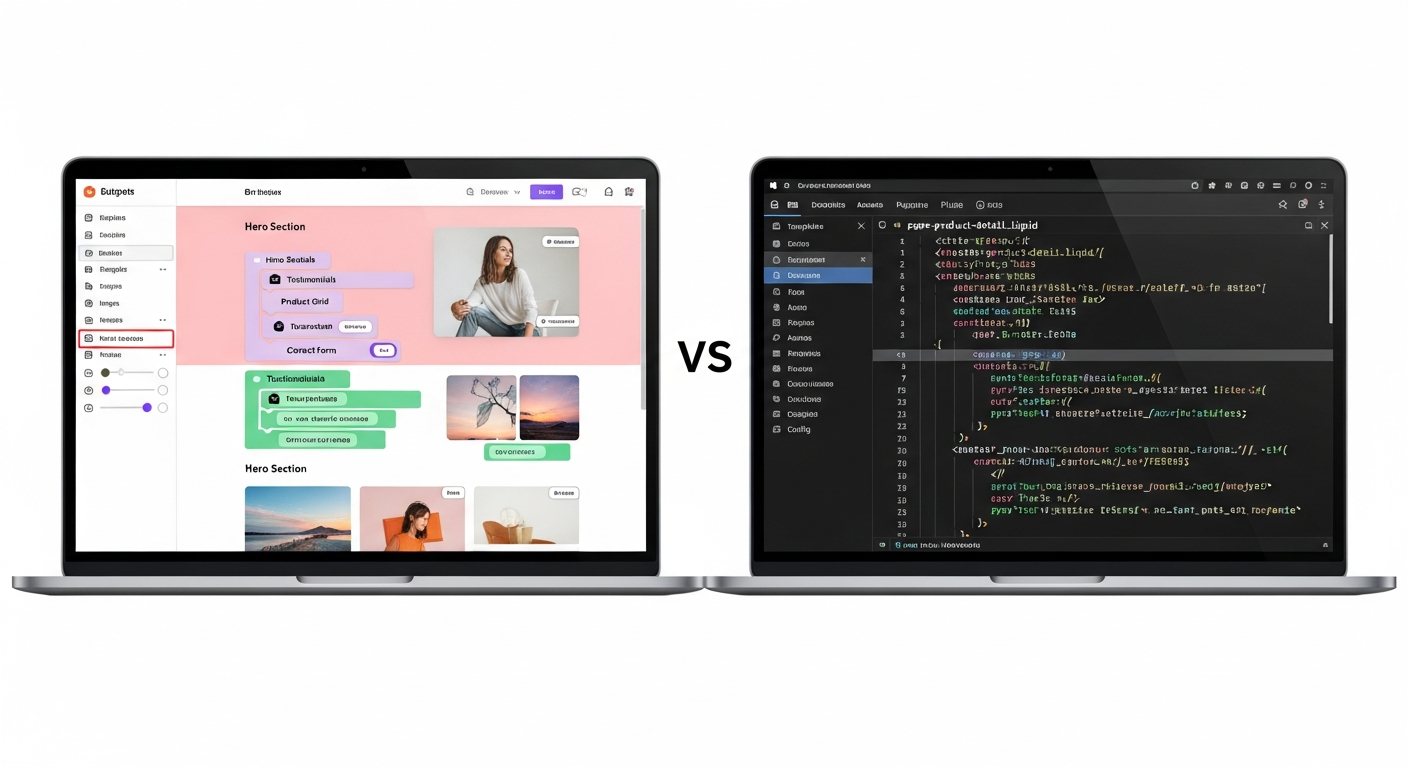
compare wix and wordpress
A practical, neutral look at ease of use, features, pricing, and SEO — so you can pick the right platform for your small business.
This guide breaks down the differences you care about in plain language. Whether you value speed-to-launch, granular control, or predictable all-in pricing, read on to see which option matches your priorities.
Visual builder, hosted
Open-source CMS, self-hosted or managed
Wix: easier for beginners • WordPress: steeper learning curve
WordPress: more flexibility • Wix: solid basics
Ease of use: which is quicker to learn?
Ease-of-use is often the first decision factor. Below we compare the practical experience of building and maintaining a site on each platform.
Wix — visual builder
Wix uses a drag-and-drop visual editor. Beginners can pick a template and make visible changes quickly without touching code. The learning curve for basic updates is low.
- Point-and-click editing, page sections are predefined
- Hosted platform — no hosting setup required
- Complex layouts or advanced customisation can be limiting
WordPress — flexible CMS
WordPress is a content management system that separates content and presentation. It can be extremely user-friendly with the right setup (page builders, editor plugins), but initial configuration is more technical.
- Nearly limitless customization with themes and plugins
- Requires hosting, backups, and occasional technical maintenance unless using a managed service
- Learning curve varies: low if you use a managed WordPress provider, higher if self-hosted
Features & extensibility: templates, plugins, and integrations
Feature needs depend on the business. Here’s how the platforms compare for common requirements.
Design & templates
Wix: many polished templates built for quick launch. WordPress: thousands of themes — more variety, more choices for uniqueness.
Plugins & apps
Wix App Market offers convenient integrations. WordPress plugins provide far broader functionality (e‑commerce, booking systems, advanced SEO, membership platforms).
E-commerce
Both support online stores. WordPress (with WooCommerce) scales better for complex catalogues, while Wix is simpler for small shops.
Developer control vs convenience
Choose Wix if you prioritise convenience and everything-in-one hosting. Choose WordPress if you want more control, access to developer tools, or the ability to extend functionality beyond what hosted builders offer.
Note: for many small businesses, a managed, professional subscription that combines the convenience of hosted builders with expert setup and ongoing updates can deliver the best of both worlds — fast launch plus tailored features — without the DIY maintenance overhead.
Cost comparison: up-front and ongoing
Total cost depends on choices: templates vs custom design, self-hosting vs managed hosting, and whether you hire help.
| Cost element | Wix (typical) | WordPress (typical) |
|---|---|---|
| Platform / hosting | $0–35/mo (tiered plans) | $5–50+/mo (hosting varies) or $30–200/mo for managed WP |
| Domain | Often included first year, then $10–20/yr | $10–20/yr (via registrar) |
| Themes / templates | Many free; premium templates $20–100 one-off | Free themes available; premium $30–150 one-off |
| Plugins / apps | Many free; premium apps $5–50/mo | Plugins range free to $5–100+/yr per plugin |
| Maintenance & updates | Handled by Wix (included) | Depends — managed WP includes it; self-hosted costs time or developer fees |
| Realistic first-year cost (small business) | $120–600 | $120–1,200+ (self-hosted) / $360–2,400 (managed) |
Practical note: WordPress can be cheaper if you handle hosting and maintenance yourself, but unexpected plugin conflicts, security issues, or paid custom development can raise costs. Wix keeps costs predictable but can add app fees for advanced features.
SEO capabilities: which helps you rank better?
SEO is vital for small businesses. Here’s how Wix and WordPress compare on the core areas that affect search performance.
On-page SEO
Both platforms let you edit page titles, meta descriptions, headings, and alt text. WordPress (with plugins like Yoast or Rank Math) gives more guided workflows and structured recommendations, while Wix provides simplified controls built into the editor.
Technical SEO
WordPress offers deeper control over sitemaps, robots.txt, structured data, and server-level optimizations when you control hosting. Wix automates many technical settings and has improved its site speed and structured data support—suitable for most local businesses.
Speed & performance
Both platforms can deliver fast sites. WordPress performance depends on theme quality and hosting; a well-optimised managed host typically outperforms. Wix's hosting is tuned for its templates and is a solid baseline for quick load times.
Local SEO
Local businesses should prioritise Google Business Profile, local schema, and proper NAP (name, address, phone) markup. WordPress allows plug-in-driven schema and advanced local SEO customization; Wix also supports local SEO basics and integrates listing tools. For businesses wanting hands-off optimisation, a specialist service that manages local SEO can be faster and more reliable than self-managing either platform.
Which platform suits which business?
Choose Wix if you:
- Need a website fast with minimal setup
- Prefer an all-in-one hosted solution
- Don't want to manage hosting or security
- Have limited need for deep customisation or bespoke integrations
Choose WordPress if you:
- Need full control over site functionality and design
- Plan to scale or add custom features
- Are comfortable (or can pay) for occasional technical maintenance
- Want everything handled for you without managing plugins and hosting
Migration & scalability
Consider the future: how easy will it be to change providers, add features, and scale traffic?
Wix
Wix sites are tied to the Wix platform. Exporting content is possible in limited ways, but full migration to another CMS often requires rebuilding pages. This trade-off is common with many hosted builders.
WordPress
WordPress is portable — content and databases can be exported and moved between hosts. That portability makes WordPress a common choice for businesses that anticipate significant growth or custom development needs.
Scaling considerations
Scaling WordPress well usually requires a managed host or performance optimisations. Scaling with Wix generally involves upgrading to a higher plan. Both paths are valid; the right choice depends on budget, technical expertise, and expected site complexity.
Pros & cons: side-by-side at a glance
| Platform | Strengths | Limitations |
|---|---|---|
| Wix | Fast setup, intuitive visual editor, hosted maintenance, predictable pricing for basic needs. | Less portable, fewer deep customisation options, app costs can add up for advanced functionality. |
| WordPress | Maximum flexibility, huge plugin ecosystem, portable content, powerful SEO tools with the right setup. | Requires hosting and maintenance, potential plugin conflicts, steeper learning curve without managed services. |
| Professional subscription (example) | Fast launch, expert setup, hosting + domain + SSL included, unlimited updates, local SEO handled — fixed monthly pricing. | Less DIY tinkering control; depends on provider's templates and update workflows. |
Frequently asked questions
Which platform ranks better on Google — Wix or WordPress?
Is Wix appropriate for e-commerce?
Will I be locked into a platform?
Which is cheaper in the long run?
Not sure which path to take?
If you want speed and minimal setup, Wix is a sensible choice. If you want maximum flexibility and portability, WordPress excels. If you prefer a fast, professionally managed site with predictable pricing, built-in local SEO, and unlimited updates handled for you, consider a managed subscription option — it removes the technical overhead for busy business owners.
See How It Works