
websites companies
Why a strong website is the most reliable asset for credibility, customer acquisition, and SEO growth
In 2025, your website is often the first interaction a potential customer has with your company. A strong website builds trust, converts visitors into customers, and powers long-term organic growth through better search visibility. Below we explain the practical advantages and how to make your site work harder for your business.
Users form an opinion about your company in 50ms — your site must convey trust instantly.
On-page SEO improvements can lift organic traffic 30%+ in 90 days.
Simple UX changes (CTAs, testimonials) often double contact rates.
A modern site reduces ongoing tech costs and centralises brand control.
Top 7 Business Advantages of a Strong Website
Not all websites are equal. A well-built company website is a business tool that works 24/7 to generate trust, customers, and measurable growth. Here are the practical advantages:
1. Instant credibility
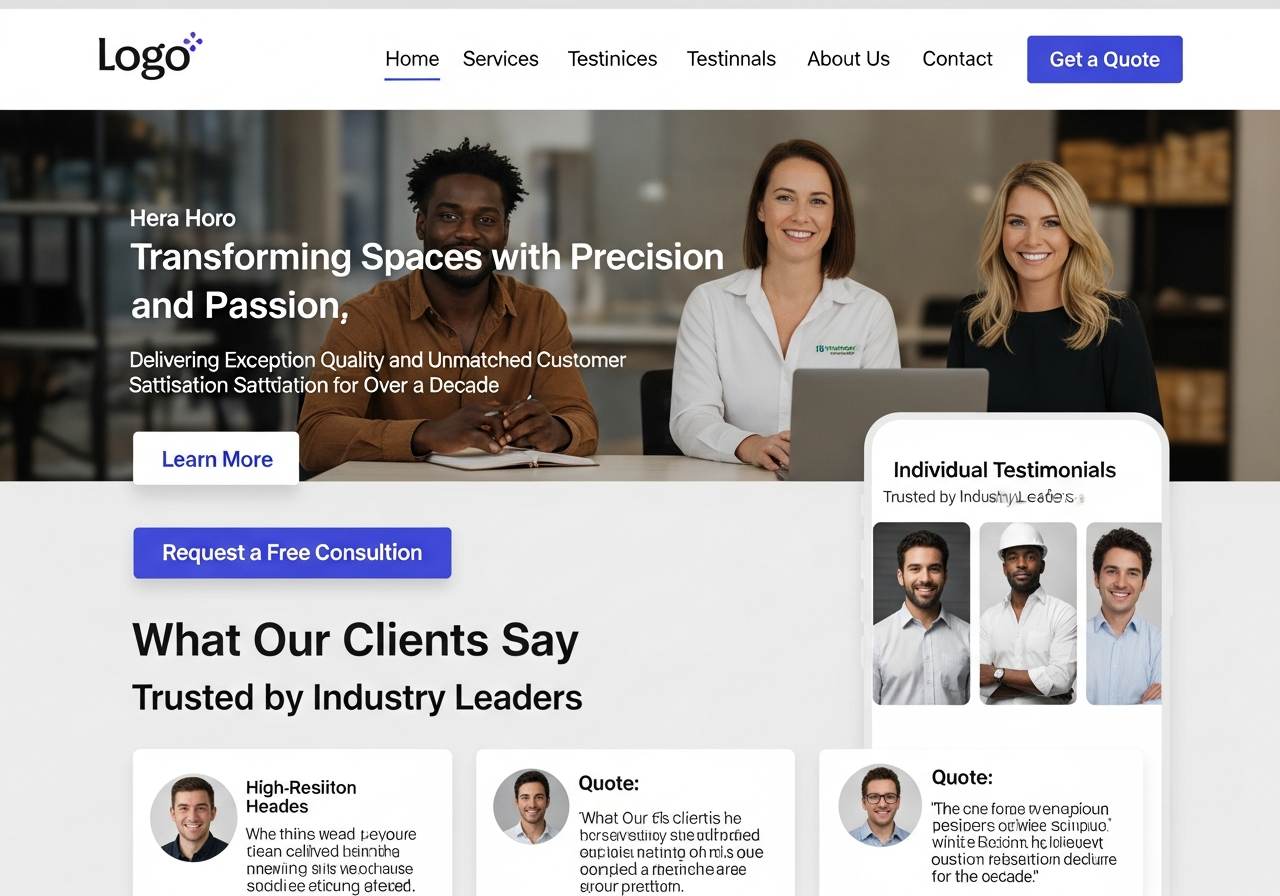
A professional design, clear contact details, and social proof (testimonials, case studies) make prospects trust your company faster—shortening sales cycles and increasing quote acceptance.
2. Better discoverability (SEO)
Optimised pages, local schema, and focused service pages help search engines match your company with local buyers searching for solutions—leading to more high-intent traffic.
3. Attracts the right customers
Clear service descriptions, pricing ranges, and FAQs help prospects self-qualify—so you get enquiries from customers who are ready and relevant.
4. Higher conversion rates
Good UX, fast load times, and strong CTAs can dramatically increase form submissions and calls—turning visitors into paying customers more reliably.
5. Measurable growth & decisions
Analytics and goal tracking show which services, pages, and campaigns produce leads—so you can invest in what works and stop what doesn't.
6. Efficiency through automation
Integrated booking, quote forms, and FAQs automate admin tasks, freeing your team to focus on delivery rather than chasing leads.
7. Better marketing ROI
A conversion-optimised website increases the return from paid ads and organic traffic—meaning you spend less for each new customer.
How a Website Builds Credibility — Practical Elements
Trust is the currency of conversions. A few deliberate elements make a company website feel authoritative and reliable:
- Professional visual design — consistent branding, readable typography, and quality images.
- Clear social proof — testimonials, case studies, star ratings, client logos.
- Transparent contact information — phone, email, address, and service areas.
- Security & privacy — HTTPS, privacy policy and secure forms.
- Accessibility — readable contrast, alt text and mobile-friendly layouts.
SEO: The Long-Term Engine Behind Inbound Leads
A website that follows SEO best-practices becomes your most valuable property for sustainable inbound leads. Key areas to focus on:
Targeted pages
Create one page per service/location combination. Each page targets a distinct search intent.
Technical SEO
Fast hosting, correct schema markup, XML sitemaps and mobile-first design keep crawlers happy.
Content & relevance
High-quality service descriptions and local content answer users’ questions and increase ranking signals.
Practical SEO checklist
- Unique title tags and meta descriptions per page
- H1 and structured headings that match user intent
- Local schema and consistent NAP (name, address, phone)
- Image alt text and compressed images for speed
- Internal links between related service pages
Conversion Optimisation: Turn Visitors into Customers
Key conversion elements
- Clear, single primary CTA on every page (call, form, book)
- Trust signals near CTAs (reviews, guarantees)
- Short contact forms (name, phone, brief request)
- Fast response workflow—respond within one hour to increase close rate
A/B testing and incremental gains
Small improvements compound: changing CTA copy, button colour, or headline can raise conversions by 10–40%. Test one change at a time and measure results.
Essential Website Features for Companies
Responsive & fast
Mobile-first design, compressed images, and reliable hosting.
Security & privacy
HTTPS, automated backups, and a clear privacy policy to protect users and regulatory compliance.
Clear messaging
State what you do and who you serve within 3 seconds of landing on the page.
Analytics & tracking
Track leads, phone calls, and top-performing pages to guide decisions.
Simple contact flows
Short forms, click-to-call and chat options to reduce friction for enquiries.
Easy updates
Make content, prices, and photos editable so the site evolves with your business.
How to Measure Website ROI
Measure the value of your website by tracking the metrics that tie directly to revenue.
Primary KPIs
- Number of phone leads
- Contact form submissions
- Conversion rate (visitors → leads)
- Average value per lead
Simple ROI model
Monthly net value = (Leads × Close rate × Average job value) − Monthly website cost. Even a small increase in close rate or traffic can pay for the site many times over.
A Practical 5-Step Plan to Improve Your Company Website
- 1. Audit your current site — check speed, mobile layout, CTAs and analytics. Identify the top 3 pages costing you conversions.
- 2. Fix quick wins — improve headlines, compress images, add a clear CTA and ensure contact details are visible on every page.
- 3. Build focused pages — create dedicated service and location pages that match search intent and funnel visitors.
- 4. Set up tracking — enable analytics, call tracking and conversion goals so you can see what’s working.
- 5. Iterate & test — run simple A/B tests on headlines and CTAs, and reallocate marketing spend to top-performing pages.
Ready to make your website work harder?
Get started with a focused plan that builds credibility, increases leads and improves your organic visibility.
Get Started NowFrequently Asked Questions
Will a new website really increase leads?
How long until SEO improvements show results?
What’s the single biggest improvement for conversions?
Can we keep our domain if we change providers?
Turn Your Website Into Your Best Salesperson
A focused, well-built website increases credibility, drives targeted traffic, and converts more visitors into customers. Small improvements today compound into steady growth tomorrow.
Fast tip: Prioritise mobile speed and a clear CTA — most companies see measurable gains within weeks.
